Encrypted history
When enabled, saved clipboard history is encrypted on disk using a key protected by macOS Keychain.
Recent copies live in your menu bar. Secret Clipboard can sanitize API keys, passwords, emails, and tokens before paste. Originals stay on your Mac; saved history can be encrypted with a Keychain-backed key.
Open the menu bar to browse recent copies, grouped into text, links, email, and images. Sensitive values can be replaced in the system clipboard while originals stay in local history; saved history can be encrypted.

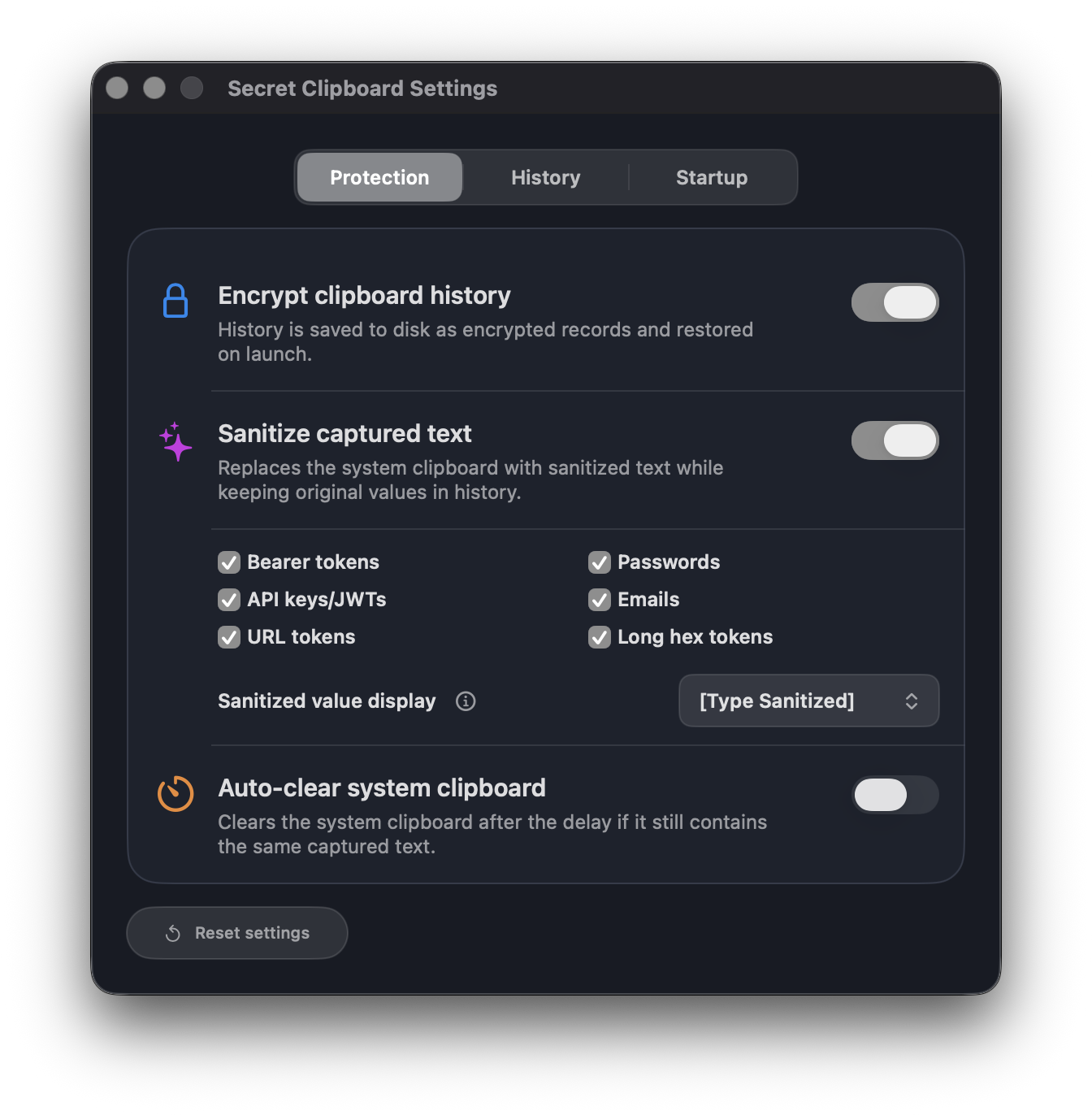
When enabled, Secret Clipboard can replace copied text that looks like a token, password, or key with a safe placeholder. The original stays in local history, and saved records can be encrypted.
Clipboard history stays on your Mac. No accounts, no telemetry, and no clipboard contents sent anywhere. Pro purchase and restore flows use Apple's StoreKit; your copied content stays local.
When enabled, saved clipboard history is encrypted on disk using a key protected by macOS Keychain.
Built-in detectors can remove sensitive values from the system clipboard while keeping a safe local record.
If sensitive content is still sitting in the system clipboard after your chosen delay, Secret Clipboard clears it automatically.
Browse text, links, email, and images in separate tabs. Search stays fast, even with up to 1,000 saved items.
Choose how much of each history item appears in the list, from compact one-line previews to expanded multi-line cards.
Starts quietly in the menu bar when you sign in, without taking over the Dock or interrupting your workflow.
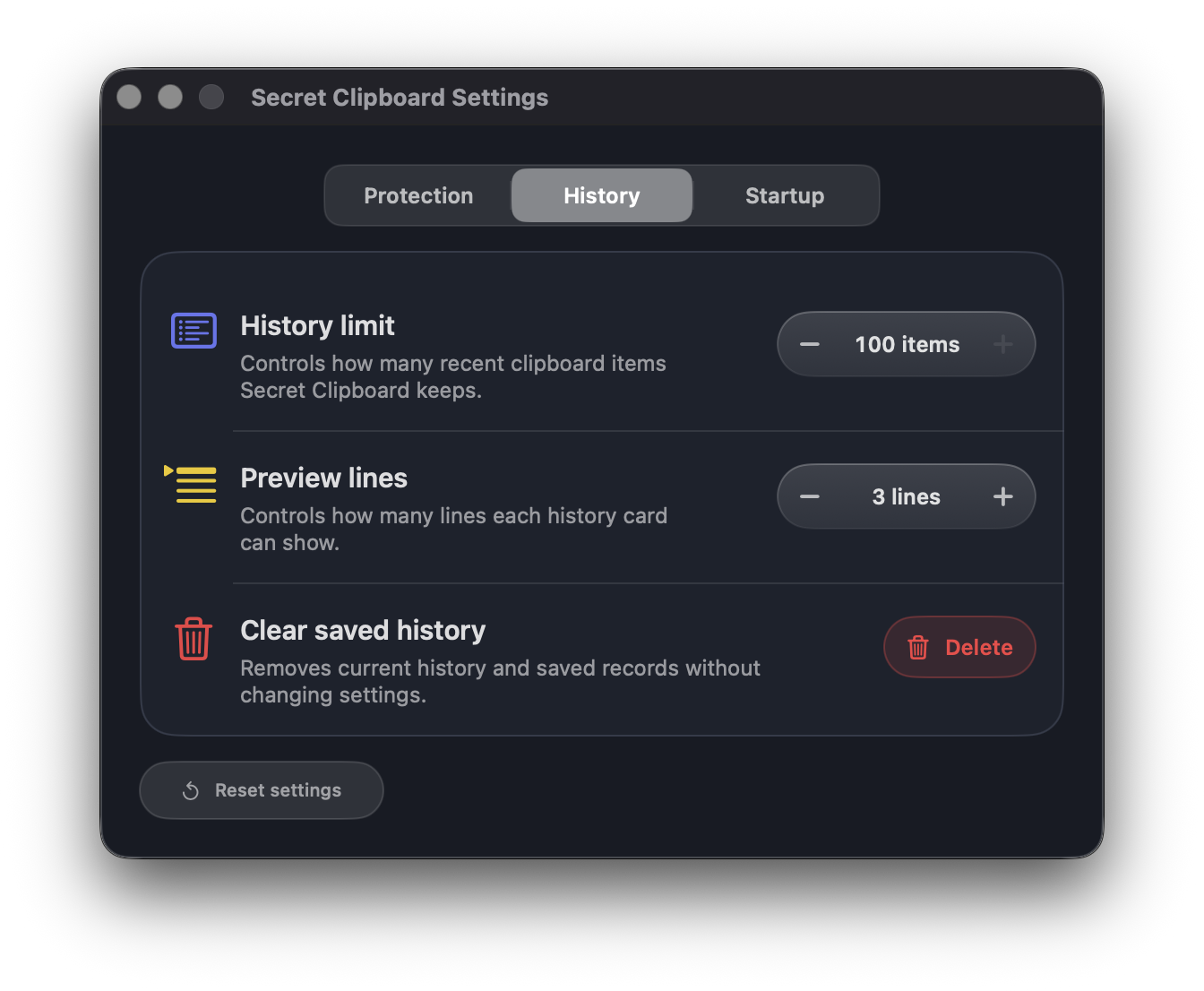
Choose how much history to keep, how detailed each preview should be, and when your clipboard should clear itself. Secret Clipboard feels native on macOS, from controls to system behavior.
Secret Clipboard is free for everyday text history. Pro is a one-time In-App Purchase through Apple that unlocks image history, deeper retention, sanitizer, auto-clear, and advanced controls.
No. Clipboard contents stay on your Mac. Secret Clipboard does not use accounts, analytics, or telemetry.
Sanitize replaces detected secrets on the Mac system clipboard with a safe placeholder while keeping the original in your local history.
Auto-clear wipes the Mac system clipboard after a configurable delay, so sensitive values do not linger.
Not yet. Pro includes advanced controls for the built-in detectors, but custom regex rules are not part of the current release.
History is stored locally in Secret Clipboard's app data on your Mac. When encryption is enabled, saved records and image payloads are encrypted with a key stored in macOS Keychain.
No. History stays on this Mac. There is no cloud sync, account, or server-side clipboard storage.
If Universal Clipboard delivers an item to your Mac clipboard, Secret Clipboard treats it like any other Mac clipboard item. It only monitors and changes the Mac-side clipboard.
Install in under a minute. Turn on sanitizer to replace common secret patterns before paste.